Password encrypted as SecureString in powershell

Create a password file with securestring:

Read-Host -AsSecureString | ConvertFrom-SecureString | Out-File -FilePath C:\encrypted.securestring

Use the password file to create a PSCredential

$credential = New-Object -TypeName System.Management.Automation.PSCredential -ArgumentList "username",(Get-Content -Path C:\encrypted.securestring | ConvertTo-SecureString)

Reference here.

I realized that this encrypted password only work on the machine which encrypting it.
To have this works on a different computer(s), you would need the key and the encrypted file.
Enable/Disable Windows 10 Startup programs in Registry

Beside those well known registry location such as HKLM\SOFTWARE\Microsoft\Windows\CurrentVersion\Run
Not sure this registry exist since Windows 8 or not, but it took me a while to find it out in Windows 10 that there is this registry location to Enable/Disable programs to run during startup.

HKLM\SOFTWARE\Microsoft\Windows\CurrentVersion\Explorer\StartupApproved\Run32

If you need to add this to GPO through GPP, and the key value is type REG_Binary.
You may want to import this registry item, and then browse to it (I added them manually, which didn't work). Or lookup on the internet on how to convert the binary data first.

* this is same as using msconfig to enable/disable startup item.

Remote SQL Logging for TMG 2010

Setup SQL Server 2012 Logging for TMG on a different server according to this guideline here
However, the TMG is still not logging remotely.
After some investigation and testing, it was the name of the Database that we setup which is causing problem!
The name of the database contain a dash (ex: XXX-XXXX), which we could see and browse to in Management Studio.

But when I tested from the command line using sqlcmd, it would give me an error saying XXX is not recognise.
And it was the AHA moment that I realised it was something to do with the name!

sqlcmd is really helpful in this instance!

Here is an example using sqlcmd to list table's columns in a database:

> sqlcmd -S servername
1> use databasename
2> select column_name
3> from information_schema.columns
4> where table_name = 'Tablename'
5> go

More information about this useful utility can be found here.

If any reason you need to access the old records for the TMG in sqlexpress, here is how:
In management studio, servername: localhost\msfw 

Other tip: create any file with extension .udl, you would be able to use it to test Database connection in GUI


Crontab - Force Shutdown in OSX

sudo crontab -e

Press i (insert text in vim)
30 19 * * 5 /sbin/shutdown -h now

Press esc (to exit editing)
Press shift+z shift+z (Writes changes and quit vim)

Time format in Crontab:
* * * * * command to execute
│ │ │ │ │
│ │ │ │ └─── day of week (0 - 6) (0 to 6 are Sunday to Saturday, or use names; 7 is Sunday, the same as 0)
│ │ │ └──────── month (1 - 12)
│ │ └───────────── day of month (1 - 31)
│ └────────────────── hour (0 - 23)
└─────────────────────── min (0 - 59)

小寶貝生病了!

小寶貝生病了!
前一天晚上開始發燒, 這幾天也都沒胃口吃任何東西!
星期天那天不喝奶,就覺得怪怪的....

昨天一整天都要人家抱著,要不然就是一直哭鬧!
今天去奶媽那裡也是一樣.
等一下,下班後帶她去看醫生,希望趕快好起來!
小孩子生病,真的是小孩痛苦大人也煎熬!

昨晚沒睡好,所以今天喝兩杯咖啡...
結果現在更加頭暈了....

OSX Terminal Commands

Caching related:
sudo serveradmin stop caching
sudo serveradmin start caching
sudo serveradmin status caching


tail -F /Private/var/log/system.log
tail -F /Library/Server/Caching/Logs/Debug.log

example:
grep 'Since server start:' /Library/Server/Caching/Logs/Debug.log
grep 'B from cache' /Library/Server/Caching/Logs/Debug.log
egrep 'Since server start|B from cache' /Library/Server/Caching/Logs/Debug.log
grep '2015-09' /Library/Server/Caching/Logs/Debug.log | grep 'Since server start|B from cache'
grep -J 'MB downloaded' /Library/Server/Caching/Logs/Debug* > fromInternet.txt
grep -J 'MB from cache' /Library/Server/Caching/Logs/Debug* > fromCached.txt
grep -J 'Since server start' /Library/Server/Caching/Logs/Debug* > SinceServerStart.txt

SSH, Mapped Drive & Copy stuffs:
ssh computername
cd /
sudo mkdir scripts
sudo mkdir /Volumes/mnt
sudo mount_afp afp://osxserver.domain.com/mnt /Volumes/mnt
sudo cp /Volumes/mnt/homedrive.sh /scripts
sudo cp -R /Volumes/mnt/MappedDrive.app /Applications
sudo cp -R /Volumes/mnt/StudentShared.app /Applications
sudo cp -R /Volumes/mnt/Microsoft\ Remote\ Desktop.app /Applications
sudo umount /Volumes/mnt

Map drive and copy in OSX's Terminal

I do this via ssh (putty):

cd /
sudo mkdir scripts
sudo mkdir /Volumes/mnt
sudo mount_afp afp://server.share/mnt /Volumes/mnt
sudo cp /Volumes/mnt/homedrive.sh /scripts
sudo cp -R /Volumes/mnt/MappedDrive.app /Applications
sudo cp -R /Volumes/mnt/StudentShared.app /Applications
sudo cp -R /Volumes/mnt/Microsoft\ Remote\ Desktop.app /Applications
sudo umount /Volumes/mnt


被咬了!

昨天在Day Care被咬了!
本來覺得奇怪為什麼奶媽沒寄照片,下班去接她的時候看到她眼眶還濕濕的.
奶爸和奶媽非常抱歉的說,喬喬被另一名同年的小孩咬了一口.
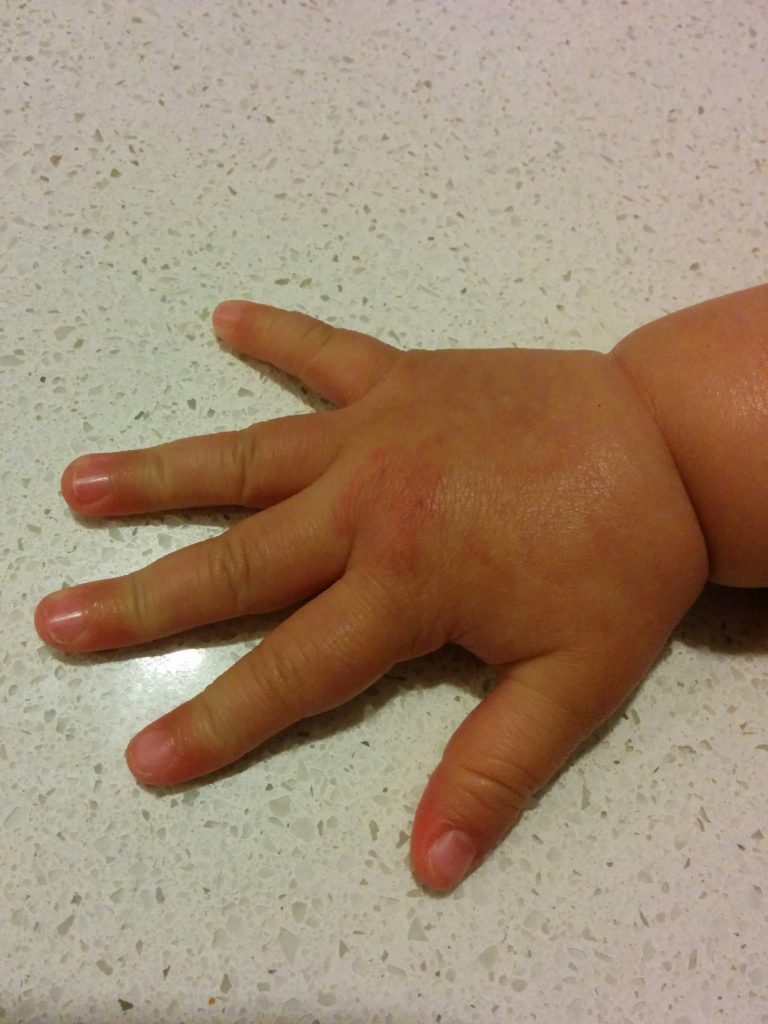
看起來咬的還蠻用力的, 過了整個下午都還紅紅腫腫的. (第二天還有點紅)
當下的我, 竟然很想進去看看到底是誰?!到底是誰咬傷了我的小孩?!
但一道念頭閃過,畢竟都還是小孩啊!這種事應該還會很常發生吧!
只是慶幸的是,咬人的不是我們家的小孩. 等她大點應該更能體會,因為自己痛過所以更不能欺負他人.
被咬

第一次拆開Macbook Pro

Still remembered my first day at PCSSC was to fix an IMAC.
As days goes by, my skills and knowledge in OSX also gaining paces.
Just recently we were able to deploy 2 labs of iMAC with imaging software (DeployStudio).
With ssh enabled on the machines, it also make our job a lot easier by remote into it and do some works as required.
I probably should do some Apple courses in the future.

Macbook Pro

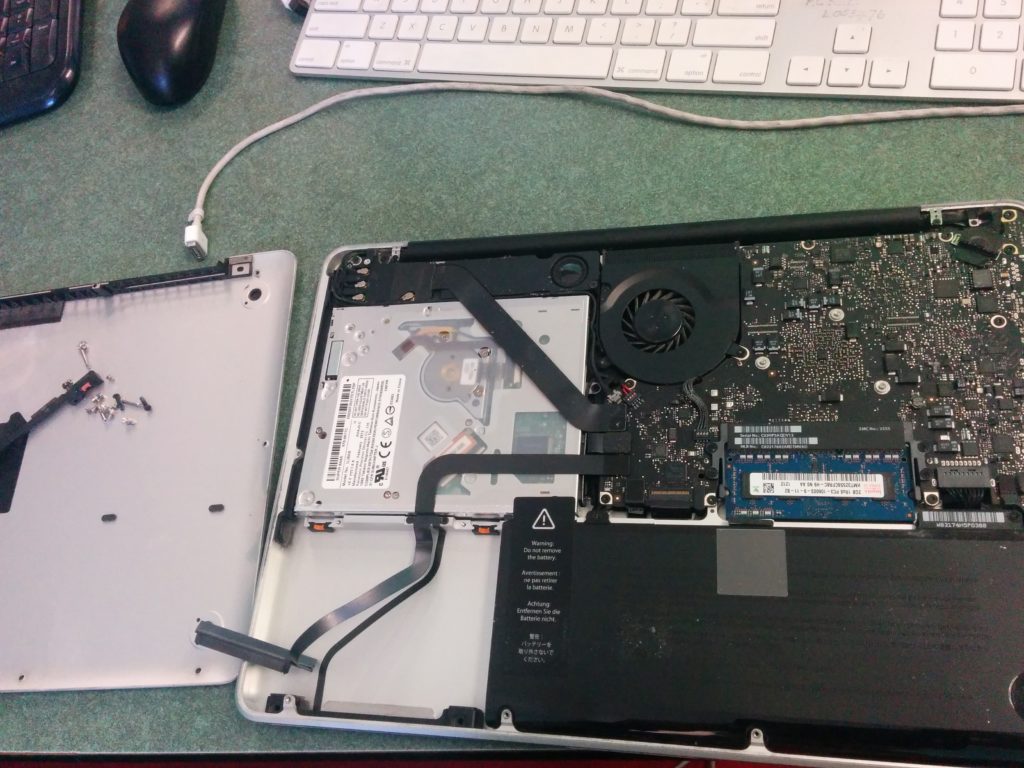
It was actually quite easy to open up the Macbook Pro, but not iMAC though.